Quickstart
You can go through the written quickstart here or watch the video on YouTube:
Before you start, make sure that you have the following:
AWS CLI installed
AWS SageMaker domain
SageMaker Execution role ARN (in a form arn:aws:iam::<ID>:role/service-role/AmazonSageMaker-ExecutionRole-<NUMBERS>). If you don’t have one, follow the [official AWS docs](https://docs.aws.amazon.com/sagemaker/latest/dg/sagemaker-roles.html#sagemaker-roles-create-execution-role).
S3 bucket that the above role has R/W access
Docker installed
Amazon Elastic Container Registry (Amazon ECR) repository created that the above role has read access and you have write access
In this example, we will create a Kedro project, convert its pipeline into an AWS SageMaker pipeline using the kedro-sagemaker plugin, deploy it to SageMaker, and run it there. To enable this, we will package the project into a Docker image and push it to an AWS ECR repository.
The project will read data from local files within the Docker container and store intermediate and final results in S3. When executed on SageMaker, the converted pipeline will run each node in separate containers.
Prepare new virtual environment with Python >=3.9. Install the package
pip install "kedro-sagemaker"
‘Create new kedro project <https://docs.kedro.org/en/stable/get_started/new_project.html>’’). !!! Make sure you don’t name it
kedro-sagemakerbecause you will overwrite Python module name.
kedro new --name=kedro_sagemaker_demo --tools=lint,test,data --example=y

The project name 'kedro_sagemaker_demo' has been applied to:
- The project title in /Users/marcin/Dev/tmp/kedro-sagemaker-demo/README.md
- The folder created for your project in /Users/marcin/Dev/tmp/kedro-sagemaker-demo
- The project's python package in /Users/marcin/Dev/tmp/kedro-sagemaker-demo/src/kedro_sagemaker_demo
Go to the project’s directory:
cd kedro-sagemaker-demoAdd
kedro-sagemakertorequirements.txt(Optional) If you prefer not to send telemetry, you can withdraw your consent.
Install the requirements
pip install -r requirements.txtInitialize Kedro SageMaker plugin. Provide name of the S3 bucket and full ARN of the SageMaker Execution role (which should also have access to the S3 bucket). For
DOCKER_IMAGE- use full name of the ECR repository that you want to push your docker image.
#Usage: kedro sagemaker init [OPTIONS] BUCKET EXECUTION_ROLE DOCKER_IMAGE
kedro sagemaker init <bucket-name> <role-arn> <ecr-image-uri>
The init command automatically will create:
conf/base/sagemaker.ymlconfiguration file, which controls this plugin’s behaviourDockerfileand.dockerignorefiles pre-configured to work with Amazon SageMaker
Adjust the Data Catalog. By default, all data is stored locally. However, since each node will be executed separately in different container runs, all intermediate datasets should be saved in persistent storage, such as S3. The plugin automatically uses S3 to store datasets that aren’t specified in the Data Catalog (i.e., MemoryDatasets). You can also manually add these datasets to the Data Catalog if needed. The final version of conf/base/catalog.yml should look like this:
companies:
  type: pandas.CSVDataSet
  filepath: data/01_raw/companies.csv
  layer: raw

reviews:
  type: pandas.CSVDataSet
  filepath: data/01_raw/reviews.csv
  layer: raw

shuttles:
  type: pandas.ExcelDataSet
  filepath: data/01_raw/shuttles.xlsx
  layer: raw

preprocessed_companies:
  type: pandas.ParquetDataset
  filepath: s3://<bucket-name>/02_intermediate/preprocessed_companies.parquet

 # ...

X_test: # Optional, it would be saved to S3 by plugin automatically without that line
  type: pandas.CSVDataset
  filepath: s3://<bucket-name>/02_intermediate/X_test.csv

 # ...
(optional) Login to ECR, if you have not logged in before. You can run the following snippet in the terminal (adjust the region to match your configuration).
REGION=eu-central-1; aws ecr get-login-password --region $REGION | docker login --username AWS --password-stdin "<AWS project ID>.dkr.ecr.$(echo $REGION).amazonaws.com"
Run your Kedro project on AWS SageMaker pipelines with a single command:
kedro sagemaker run --auto-build -y
This command will first build the docker image with your project, push it to the configured ECR and then it will run the pipeline in AWS SageMaker pipelines service.
Finally, you will see similar logs in your terminal:
Pipeline ARN: arn:aws:sagemaker:eu-central-1:781336771001:pipeline/kedro-sagemaker-pipeline
Pipeline started successfully
If you encounter any issues, you can manually execute the final step by running:
`console
kedro sagemaker compile
`
This command converts the Kedro pipeline into a pipeline.json file, located in the project’s root directory. You can then create a new SageMaker pipeline in the AWS console and upload this file during the setup process.
Additionally, you must manually build and push the Docker image to Amazon ECR before running the pipeline in the UI. If you’re using a Mac and encounter compatibility issues, include –platform linux/amd64 in the docker build command.
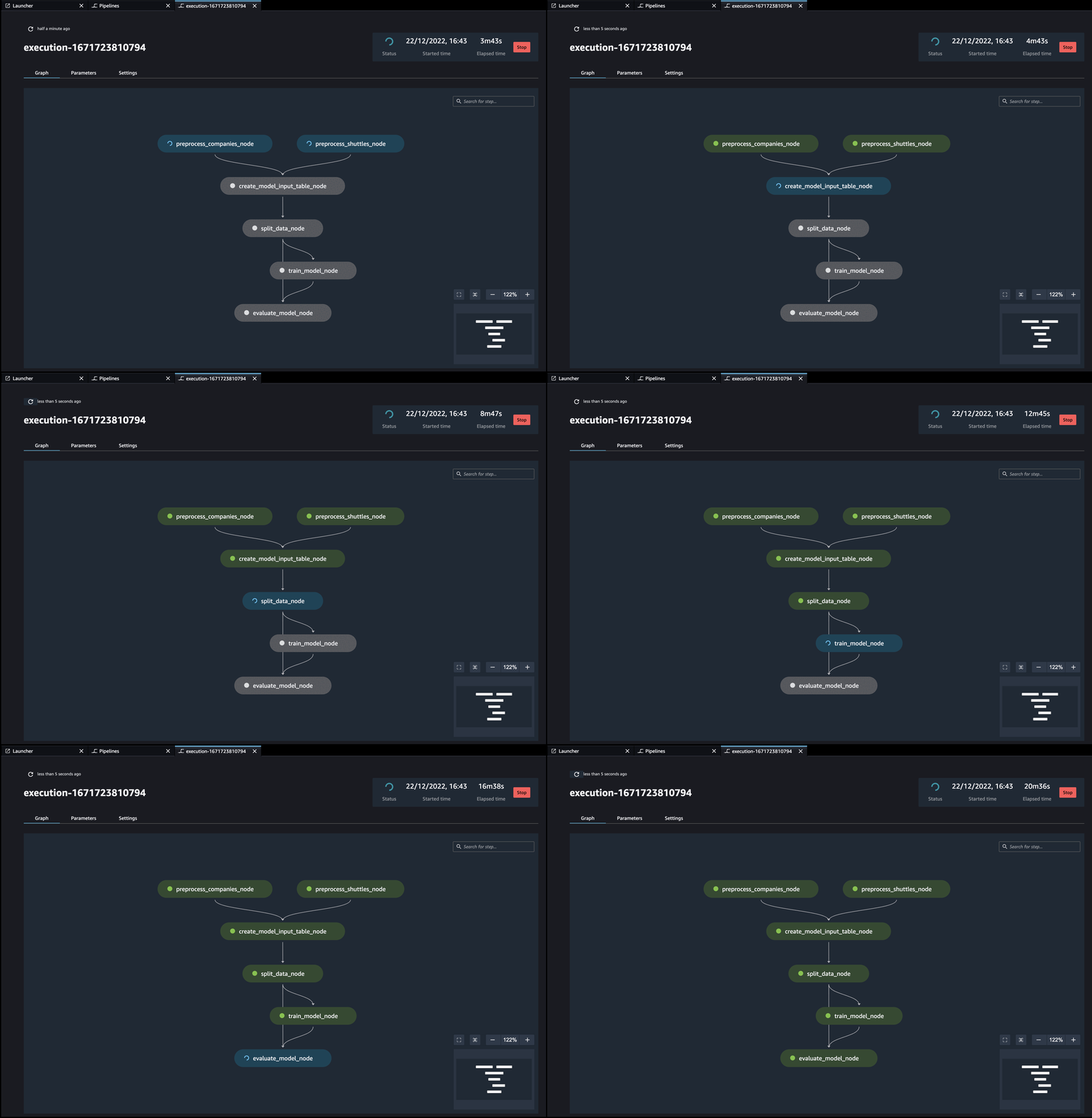
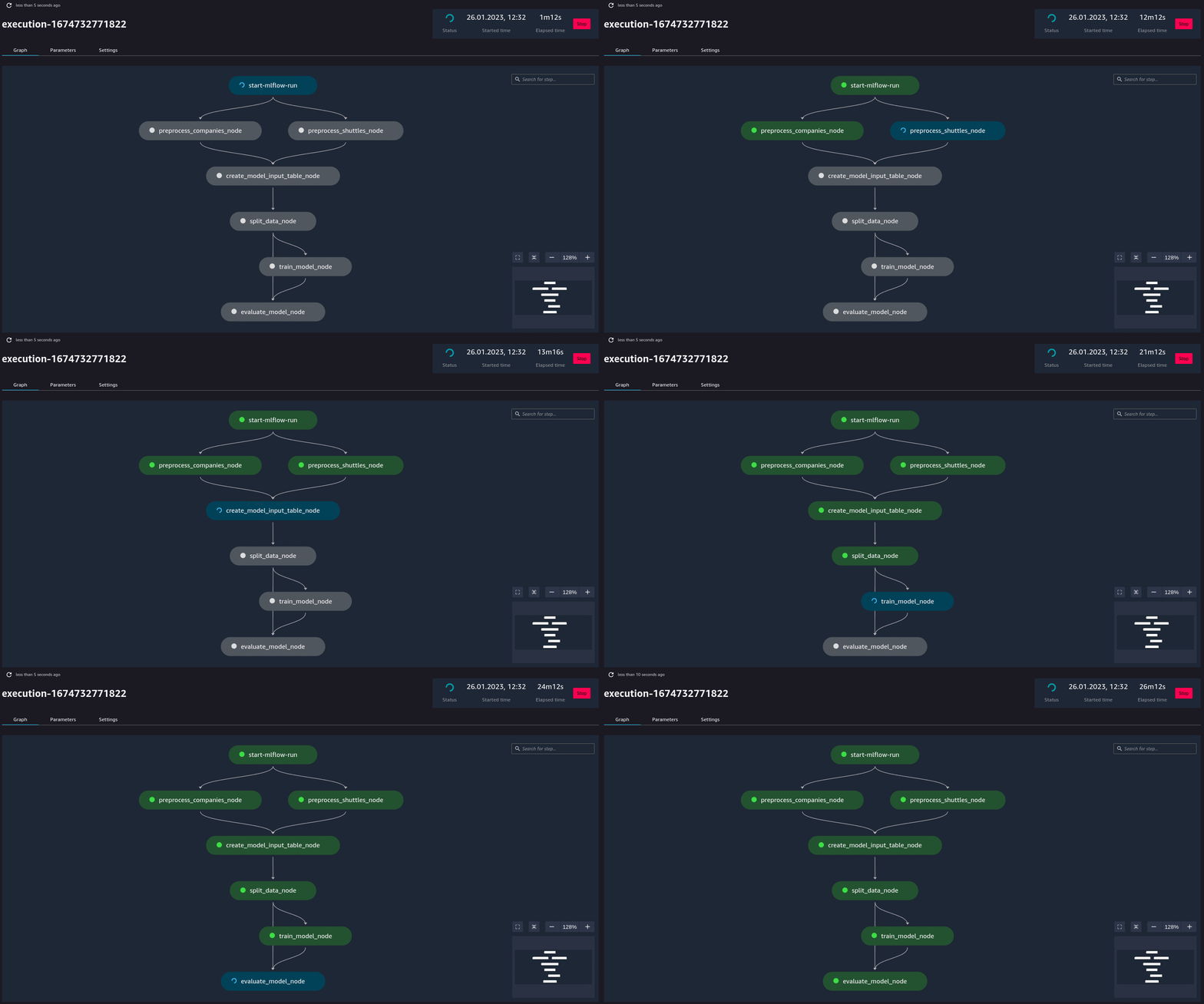
Additionally, if you have (kedro-mlflow) plugin installed, an additional node called start-mlflow-run will appear on execution graph. It’s job is to log the SageMaker’s Pipeline Execution ARN (so you can link runs with mlflow with runs in SageMaker) and make sure that all nodes use common Mlflow run.
Resource customization
You can configure resources used by your nodes in sagemaker.yml under resources key
Here is the definition of default values for nodes:
resources:
  __default__:
    instance_count: 1
    instance_type: ml.m5.large
    timeout_seconds: 86400
    security_group_ids: null
    subnets: null
To specify custom resources just provide node name or node tag below __default__ configuration
Example custom config:
resources:
  __default__:
    instance_count: 1
    instance_type: ml.m5.large
    timeout_seconds: 86400
    security_group_ids: null
    subnets: null
  train_on_gpu_node:
    instance_count: 1
    instance_type: ml.p3.2xlarge
    security_group_ids: ["example-security-group-id"]
    subnets: ["example-subnet-id"]
  some_test_node:
    instance_count: 1
    instance_type: ml.t3.medium
The default behavior is that only values defined in node resources will override __default__ values and the rest is inherited.
So in this example
train_on_gpu_node inherits timeout_seconds: 86400 from __default__
some_test_node inherits timeout_seconds: 86400, security_group_ids: null and subnets: null from __default__